Buy wcsitz.eu ?
We are moving the project
wcsitz.eu .
Are you interested in purchasing the domain
wcsitz.eu ?
domain@kv-gmbh.de · 0541-91531010
Buy wcsitz.eu ?
What is the Video Star app?
The Video Star app is a popular video editing app that allows users to create music videos by adding special effects, filters, and transitions to their videos. Users can choose music tracks from their library to accompany their videos and customize the speed and timing of the edits. The app also offers features like lip-syncing, green screen effects, and the ability to create split-screen videos. Overall, Video Star is a fun and creative tool for users to make unique and engaging music videos. **
Should I buy Video Star Pro?
Whether or not you should buy Video Star Pro depends on your specific needs and budget. If you are looking for a comprehensive video editing app with advanced features and are willing to invest in a paid app, then Video Star Pro may be a good option for you. However, if you are looking for a more basic or free video editing app, you may want to explore other options before making a decision. It's important to consider your specific requirements and compare the features and pricing of Video Star Pro with other similar apps before making a purchase. **

Similar search terms for Video Star
Top-Angebote
Products related to Video Star:
-
Office Star Products Dual Function Ergonomic Chair with Adjustable Back HeightWork in comfort with the new Work Smart Ergonomic office chair. Perfect for workers who spend extended periods of time at their work stations, the ergonomic designed chair provides comfort and support to both your body and mind.193,91 $*Shipping: 0,00 $Secure redirect to the provider
-
High Back Video Game Chair Ergonomic Computer Chair w/Rocking FunctionElevate your gaming sessions with our reclining gaming chair, designed for ultimate comfort and versatility. This chair boasts a sleek, retractable footrest that effortlessly extends to let you unwind.184,49 $*Shipping: 0,00 $Secure redirect to the provider


-
How can you insert a video at the end of a video on Video Star?
To insert a video at the end of a video on Video Star, you can use the "Add Clip" feature. First, import the video you want to add at the end of your current video into Video Star. Then, drag and drop the new video clip to the end of your current video timeline. You can adjust the length and position of the new video clip to ensure it seamlessly transitions at the end of your video. Finally, preview your video to make sure the new clip is inserted correctly at the end. **
-
How can you add a video at the end of a video on Video Star?
To add a video at the end of a video on Video Star, you can use the "Add Media" feature to import the second video clip. Once both videos are imported, you can adjust the length and positioning of the second video to play at the end of the first video. You can also use the editing tools to add transitions or effects to seamlessly blend the two videos together. Finally, preview the final result to ensure the videos play in sequence as desired. **
-
How can you add a video at the end in Video Star?
To add a video at the end in Video Star, you can use the "Add Clip" feature to import the video you want to include. Once you have imported the video, you can drag and drop it to the end of your project timeline. You can then adjust the length and position of the video to ensure it plays at the end of your project. Finally, you can preview your project to make sure the video is placed correctly at the end before exporting it. **
-
How can I create the Video Star effect?
To create the Video Star effect, you can use video editing software such as Adobe Premiere Pro or Final Cut Pro. Start by importing your video clip and adding a duplicate layer on top. Apply a "glitch" or "RGB split" effect to the duplicate layer to create the distorted look. You can also experiment with adding color grading, transitions, and other effects to enhance the overall aesthetic of the video. Finally, play around with the timing and placement of the effects to achieve the desired Video Star effect. **


How much does Video Star Pro 2 cost?
Video Star Pro 2 costs $29.99 for a one-time purchase. There are no subscription fees or in-app purchases required to access all the features of the app. This one-time purchase gives users access to all the advanced video editing tools and effects available in Video Star Pro 2. **
Is it worth it to buy Video Star Pro?
It depends on your specific needs and preferences. Video Star Pro offers a range of features for editing and creating videos, including special effects, transitions, and music options. If you are someone who enjoys creating and editing videos frequently, and you find the features offered by Video Star Pro to be valuable, then it may be worth the investment for you. However, if you only occasionally edit videos or do not require the advanced features offered by Video Star Pro, you may find that a free or less expensive video editing app meets your needs just as well. **
Top-Angebote
Products related to Video Star:
-
Microsoft Star Wars Kinect Video Game - Kinect Required (Xbox 360)Description Star Wars Kinect - Kinect Required (Xbox 360) is a video game for players using an Xbox 360 with Kinect. Designed for Xbox 360 owners who have the required Kinect system, it brings the Star Wars Kinect title together with the platform information in a compact physical format. The item is supplied as a single product and has a stated weight of 118 g. Its dimensions are 19.0 x 1.5 x 13.5 cm, measured as height x width x length. The model and part number are both TED-00009, providing a clear reference for identification. An essential addition for Xbox 360 players with the required Kinect system.30,49 £*Shipping: 0,00 £Secure redirect to the provider
-
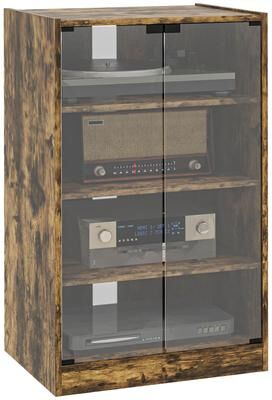
Modern Audio Video Media Stand with Adjustable ShelvesSpecification Product Name: Modern Audio Video Media Stand with Adjustable Shelves Main Material: MDF Product Dimensions Assembled Length (in.): 21.30 Assembled Width (in.): 15.80 Assembled Height (in.): 35.80 Weight (lbs259,99 $*Shipping: 0,00 $Secure redirect to the provider
-
Office Star Products Dual Function Ergonomic Chair with Adjustable Back HeightWork in comfort with the new Work Smart Ergonomic office chair. Perfect for workers who spend extended periods of time at their work stations, the ergonomic designed chair provides comfort and support to both your body and mind.193,91 $*Shipping: 0,00 $Secure redirect to the provider
-
What is the Video Star app?
The Video Star app is a popular video editing app that allows users to create music videos by adding special effects, filters, and transitions to their videos. Users can choose music tracks from their library to accompany their videos and customize the speed and timing of the edits. The app also offers features like lip-syncing, green screen effects, and the ability to create split-screen videos. Overall, Video Star is a fun and creative tool for users to make unique and engaging music videos. **
-
Should I buy Video Star Pro?
Whether or not you should buy Video Star Pro depends on your specific needs and budget. If you are looking for a comprehensive video editing app with advanced features and are willing to invest in a paid app, then Video Star Pro may be a good option for you. However, if you are looking for a more basic or free video editing app, you may want to explore other options before making a decision. It's important to consider your specific requirements and compare the features and pricing of Video Star Pro with other similar apps before making a purchase. **
-
How can you insert a video at the end of a video on Video Star?
To insert a video at the end of a video on Video Star, you can use the "Add Clip" feature. First, import the video you want to add at the end of your current video into Video Star. Then, drag and drop the new video clip to the end of your current video timeline. You can adjust the length and position of the new video clip to ensure it seamlessly transitions at the end of your video. Finally, preview your video to make sure the new clip is inserted correctly at the end. **
-
How can you add a video at the end of a video on Video Star?
To add a video at the end of a video on Video Star, you can use the "Add Media" feature to import the second video clip. Once both videos are imported, you can adjust the length and positioning of the second video to play at the end of the first video. You can also use the editing tools to add transitions or effects to seamlessly blend the two videos together. Finally, preview the final result to ensure the videos play in sequence as desired. **
Similar search terms for Video Star
-
High Back Video Game Chair Ergonomic Computer Chair w/Rocking FunctionElevate your gaming sessions with our reclining gaming chair, designed for ultimate comfort and versatility. This chair boasts a sleek, retractable footrest that effortlessly extends to let you unwind.184,49 $*Shipping: 0,00 $Secure redirect to the provider
-
Office Star Products OSP Ergonomic Task Chair with Lumbar Support and Adjustable ArmsWork in comfort and style with this Office Star Ergonomic Task Chair. This chair features a breathable back with built-in lumbar support, height adjustable arms and a heavy-duty nylon base with dual wheel carpet casters for mobility.219,92 $*Shipping: 0,00 $Secure redirect to the provider
-
How can you add a video at the end in Video Star?
To add a video at the end in Video Star, you can use the "Add Clip" feature to import the video you want to include. Once you have imported the video, you can drag and drop it to the end of your project timeline. You can then adjust the length and position of the video to ensure it plays at the end of your project. Finally, you can preview your project to make sure the video is placed correctly at the end before exporting it. **
-
How can I create the Video Star effect?
To create the Video Star effect, you can use video editing software such as Adobe Premiere Pro or Final Cut Pro. Start by importing your video clip and adding a duplicate layer on top. Apply a "glitch" or "RGB split" effect to the duplicate layer to create the distorted look. You can also experiment with adding color grading, transitions, and other effects to enhance the overall aesthetic of the video. Finally, play around with the timing and placement of the effects to achieve the desired Video Star effect. **
-
How much does Video Star Pro 2 cost?
Video Star Pro 2 costs $29.99 for a one-time purchase. There are no subscription fees or in-app purchases required to access all the features of the app. This one-time purchase gives users access to all the advanced video editing tools and effects available in Video Star Pro 2. **
-
Is it worth it to buy Video Star Pro?
It depends on your specific needs and preferences. Video Star Pro offers a range of features for editing and creating videos, including special effects, transitions, and music options. If you are someone who enjoys creating and editing videos frequently, and you find the features offered by Video Star Pro to be valuable, then it may be worth the investment for you. However, if you only occasionally edit videos or do not require the advanced features offered by Video Star Pro, you may find that a free or less expensive video editing app meets your needs just as well. **
* All prices are inclusive of VAT and, if applicable, plus shipping costs. The offer information is based on the details provided by the respective shop and is updated through automated processes. Real-time updates do not occur, so deviations can occur in individual cases. ** Note: Parts of this content were created by AI.